
在新加坡看抖音世界杯中文直播仅限中国大陆?这份海外观赛终极指南帮你突破限制
Last summer, I was in London and tried to watch the Euro Cup on a Chinese streaming platform, only to see the cold message: “This content is not available in your region.” Sound familiar? If you’re a student in Singapore scrolling Douyin for World Cup Chinese commentary but hit the “仅限中国大陆” notice, or a worker in the UK facing “海外无法观看” when accessing Douyin’s World Cup解说, or even someone in Hong Kong getting “当前IP受限制” on Bilibili’s World Cup streams—you’re not alone. Geo-restrictions are the biggest buzzkill for overseas sports fans who crave the comfort of Chinese commentary and familiar platforms. But don’t worry, this guide will show you exactly how to break through these barriers and enjoy your favorite sports broadcasts with zero hassle.
Why Can’t You Watch Chinese Sports Live Streams Overseas?
Most Chinese streaming platforms—like Douyin, Bilibili, Tencent Sports, and CCTV Sports—use IP detection to restrict access to their content outside mainland China. This is due to licensing agreements that limit content distribution to specific regions. For example, when you’re in Singapore, Douyin checks your IP address and blocks World Cup content because it’s only licensed for mainland users. In the UK, the same applies to Douyin’s Chinese commentary tracks—you’ll see “海外无法观看” pop up. Even in Hong Kong, some Bilibili World Cup streams might show “当前IP受限制” because the platform’s licensing terms vary by region. These restrictions don’t just apply to World Cup; they’re there for NBA games, Premier League matches, and even domestic sports like CBA. The good news? A reliable回国加速器 can fix this.
How to Choose the Right Accelerator for Overseas Sports Viewing
Not all accelerators are created equal, especially when it comes to sports streaming. You need one that’s fast, stable, and designed for Chinese content. That’s where Tomato Accelerator comes in—it’s built specifically for overseas users who want to access mainland Chinese platforms, and it checks all the boxes for sports fans.
First, Tomato has a global node network. No matter where you are—Singapore, UK, Hong Kong, or even further afield—there’s a nearby node to connect to. The app uses smart technology to recommend the optimal line, so you don’t have to guess which node works best. This means less buffering and faster load times, critical for live sports where every second counts.
Next, it supports all major platforms: Android, iOS, Windows, and Mac. You can use it on your phone while commuting, your laptop at home, or even multiple devices at the same time—like watching a match on your tablet while your friend uses the desktop. No more juggling devices or paying extra for multiple accounts.
Stability is key for live sports, and Tomato delivers. It offers unlimited traffic with smart分流—meaning it only accelerates the apps you need (like Douyin or Bilibili) without slowing down your other internet activities. Plus, it has a dedicated 100M bandwidth for回国影音 and game acceleration, so you get smooth, high-quality streams even during peak hours (like when a World Cup final is on).
Data security is another big concern. Tomato uses encryption and专线传输 to keep your data safe, so you don’t have to worry about your online activity being tracked. And if you run into any issues, their after-sales team is available in real-time—professional technicians who know how to fix common problems like connection drops or app compatibility.
Step-by-Step Guide to Using Tomato Accelerator for Sports Streaming
Using Tomato Accelerator is straightforward, even if you’re not tech-savvy. Here’s how to get started:
1. Go to the official Tomato Accelerator website and download the app for your device (Android, iOS, Windows, or Mac). The download is quick and free to try.
2. Install the app and sign up for an account. You can use your email or social media to register—no complicated forms.
3. Open the app and select the “回国加速” mode (or “影音加速” if you’re focusing on streaming). The app will automatically scan for the best node based on your location. For example, if you’re in Singapore, it might recommend a Shanghai node for the fastest connection.
4. Click “Connect” and wait a few seconds. Once connected, your IP address will appear as a mainland Chinese one.
5. Open your favorite streaming app—Douyin, Bilibili, Tencent Sports, or any other platform you use for sports. You’ll notice the region restrictions are gone! Now you can watch the World Cup, NBA, or any other event with Chinese commentary, just like you’re back home.
2026 US-Canada-Mexico World Cup: How Tomato Accelerator Enhances Your Viewing Experience
Looking ahead to the 2026 World Cup, which will be hosted in the US, Canada, and Mexico—many overseas fans might be traveling or living in those countries and want to watch the matches with Chinese commentary. Tomato Accelerator will be your best companion then. Imagine you’re in New York for a business trip during the World Cup semi-finals. With Tomato, you can connect to a mainland node, open the CCTV Sports app or Douyin, and watch the match in real-time without any lag. Even if you’re moving between cities (like from Toronto to Mexico City), Tomato’s global nodes will ensure a stable connection wherever you go. No more missing key goals or the lively Chinese commentary that makes watching sports feel like a familiar experience.
Final Thoughts
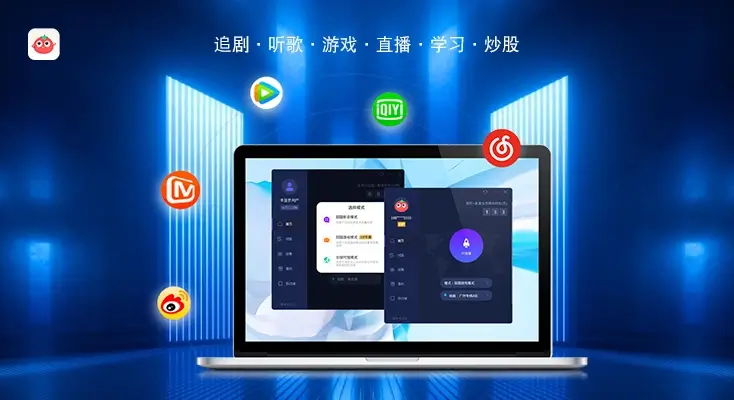
Whether you’re in Singapore trying to watch Douyin’s World Cup中文直播, in the UK facing “海外无法观看” for Douyin’s commentary, or in Hong Kong dealing with Bilibili’s “当前IP受限制” message—Tomato Accelerator solves all these problems. It’s the ultimate tool for overseas sports fans who want to stay connected to their favorite Chinese broadcasts. Don’t let geo-restrictions stop you from cheering for your favorite teams or enjoying the comfort of Chinese commentary. Try Tomato Accelerator today and never miss a moment of the action again.